Tujia

How to book

How to book Tujia as a foreigner, step by step

Start with the Tujia app or WeChat Mini Program, compare the details that matter, and keep your booking information ready for arrival.

Tujia booking flow screen 1

01 · Get Tujia

Choose how you want to book

Option A

Talk with a Tujia stay specialist

Planning a China stay can come with lots of small questions. Scan the code to add our specialist—we'll be happy to listen and help you work through them, one step at a time.

Tell us your travel preferences and needs, and we can help connect you with suitable hosts. You can choose to speak with hosts directly, so both sides can better understand each other's needs and communicate more directly.


QR code

Option B

WeChat Mini Program

Scan the official Mini Program code to search homes, book and view your orders in WeChat.

QR code

02 · Booking flow

Nine steps from WeChat search to check-in

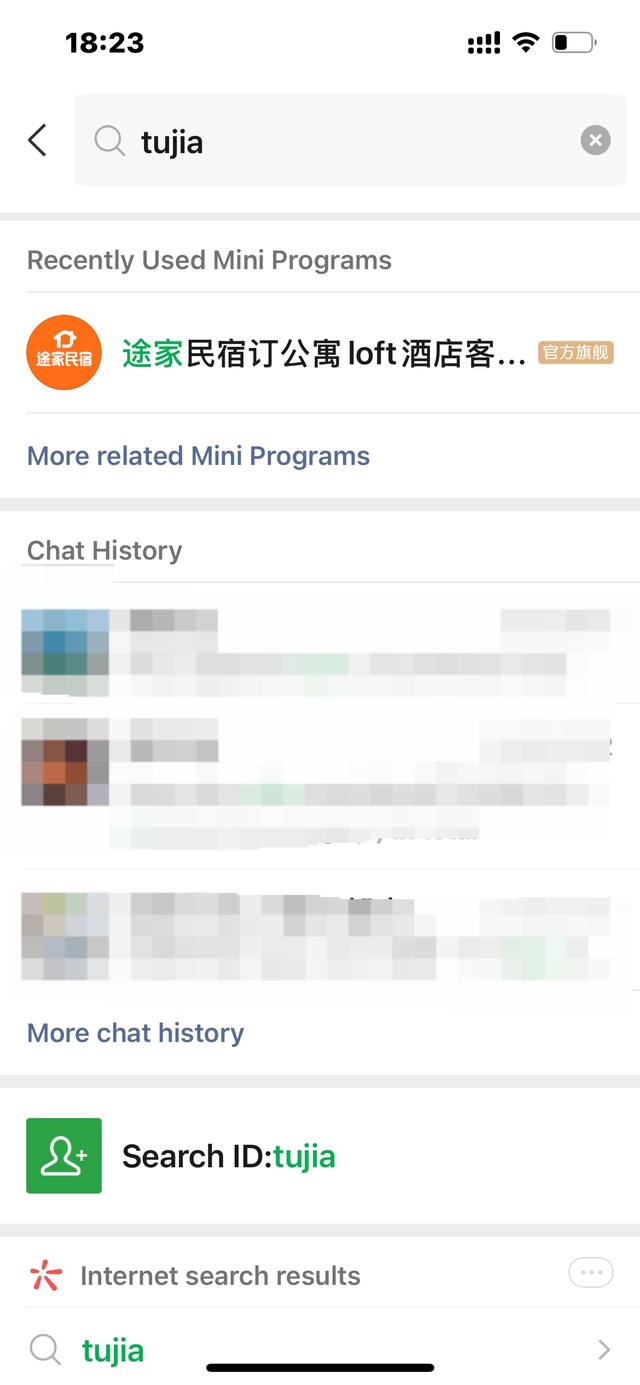
  1. Search for the WeChat Mini Program and enter

    Step 01

    Search for the WeChat Mini Program and enter

    Search for Tujia in WeChat, then open the official Tujia Mini Program.

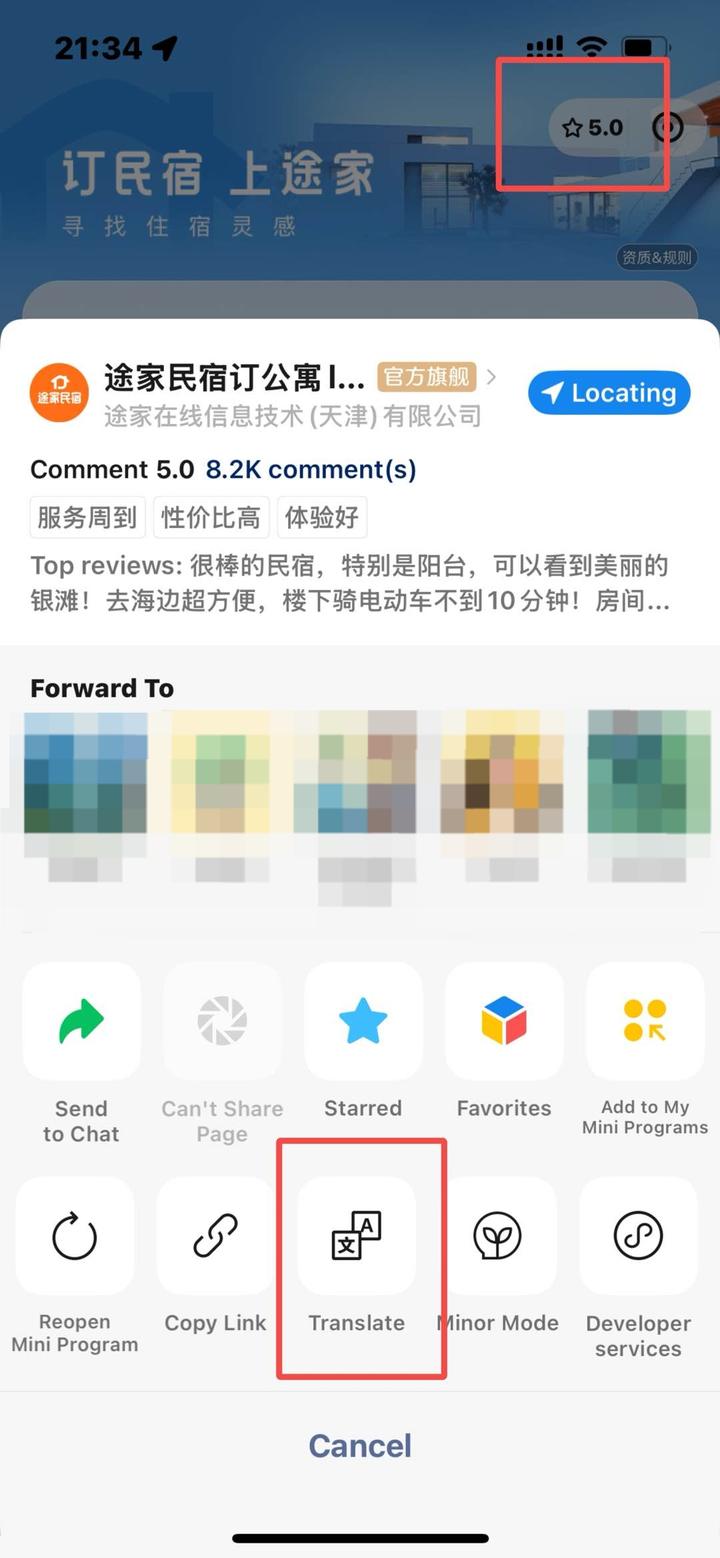
  2. Switch on English translation

    Step 02

    Switch on English translation

    Open the Mini Program menu and choose Translate, then select English on the translation page.

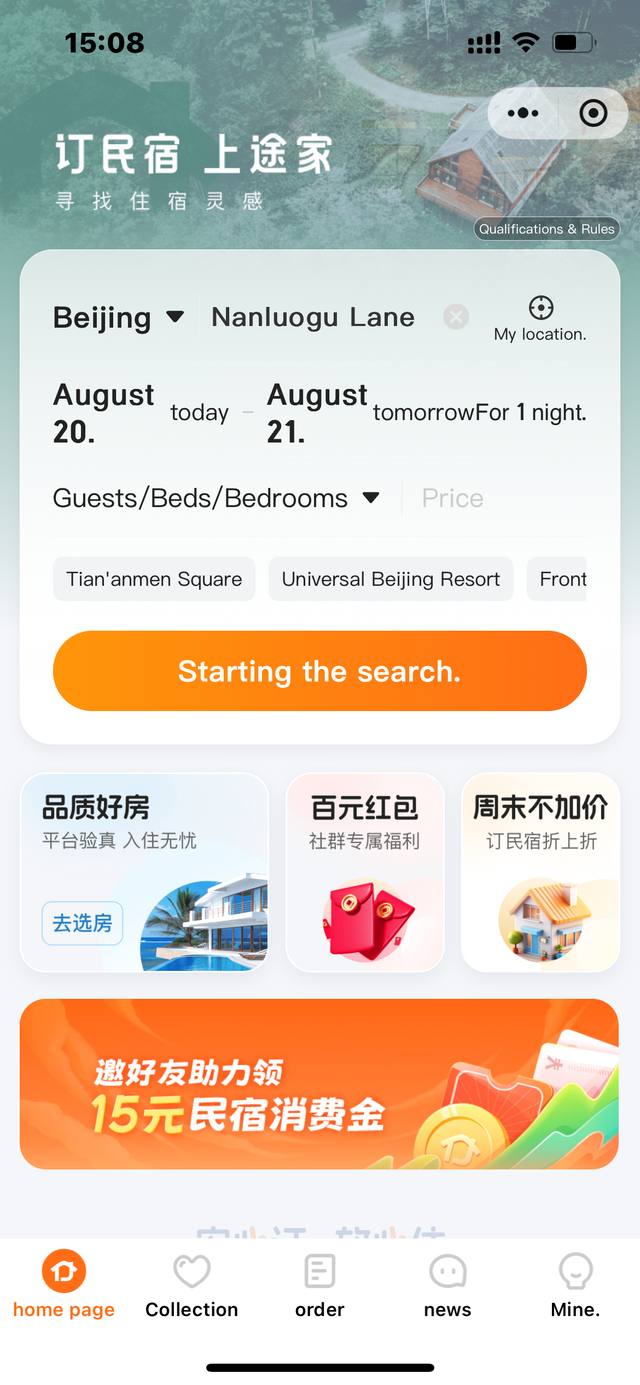
  3. Choose your city and travel dates

    Step 03

    Choose your city and travel dates

    Select the destination city, check-in and check-out dates, and guest needs before searching.

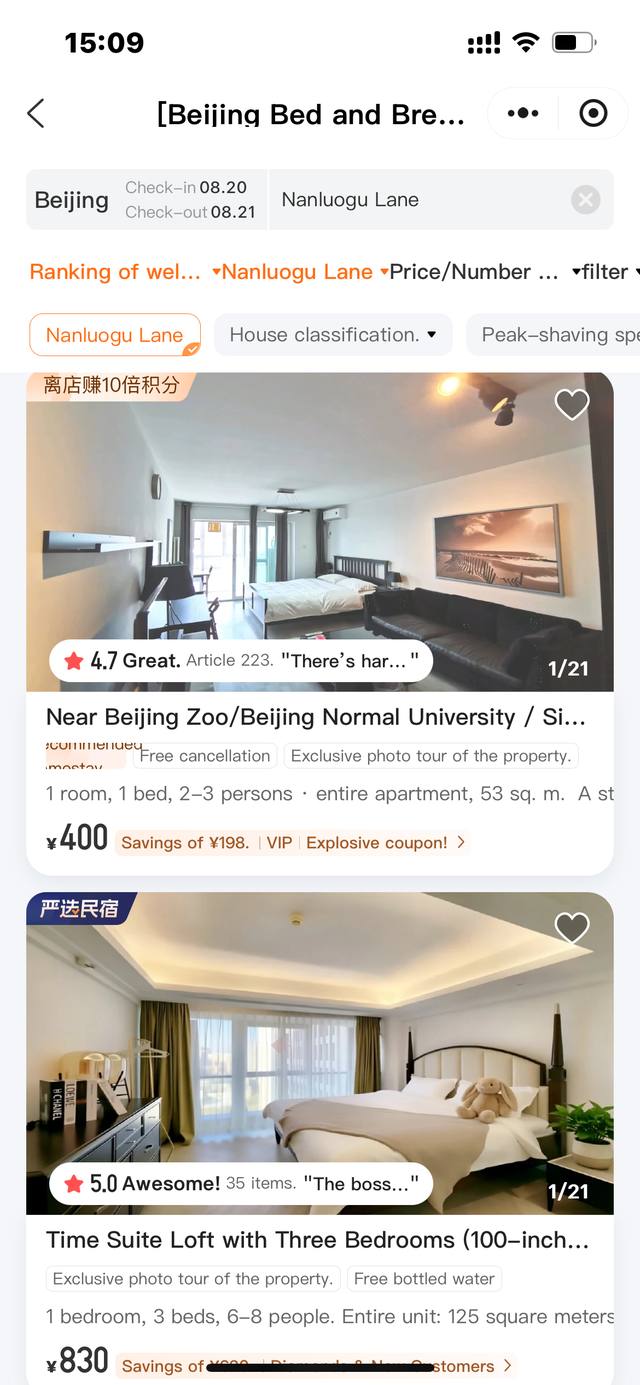
  4. Choose a home you like

    Step 04

    Choose a home you like

    Browse the result list and compare location, home type, price and basic information.

  5. Review the home and book

    Step 05

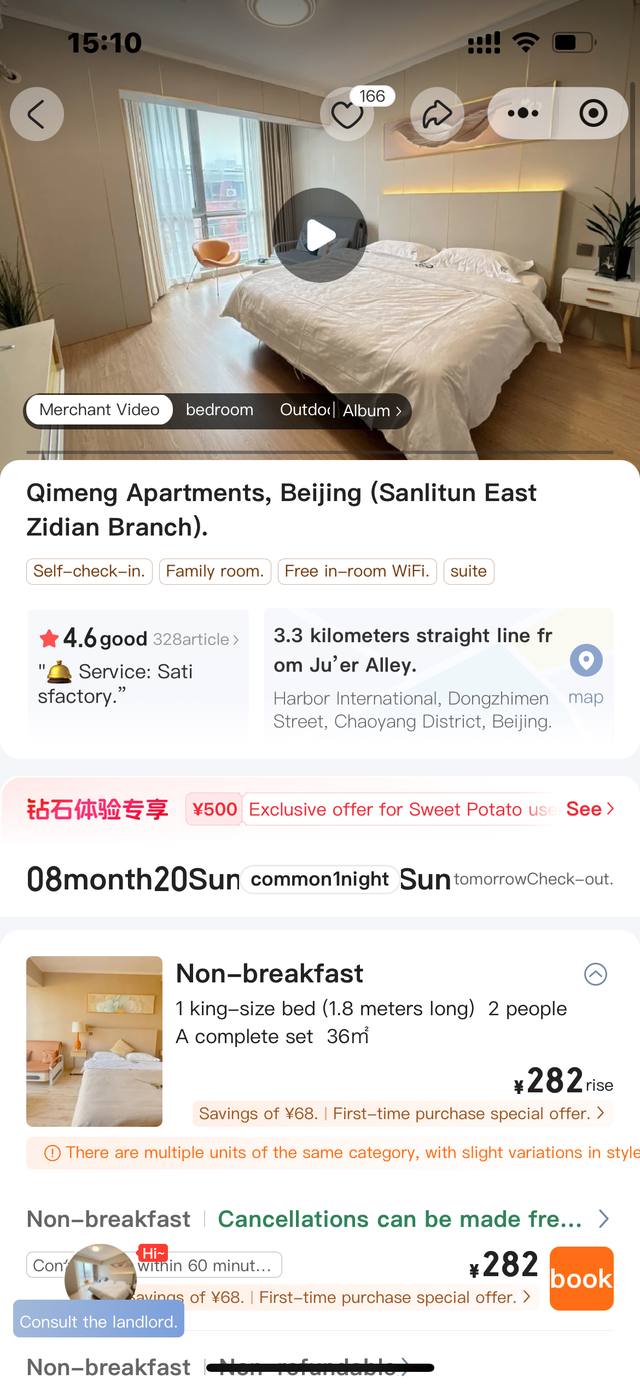
    Review the home and book

    Review photos, amenities, capacity, check-in rules and cancellation terms, then select Book now.

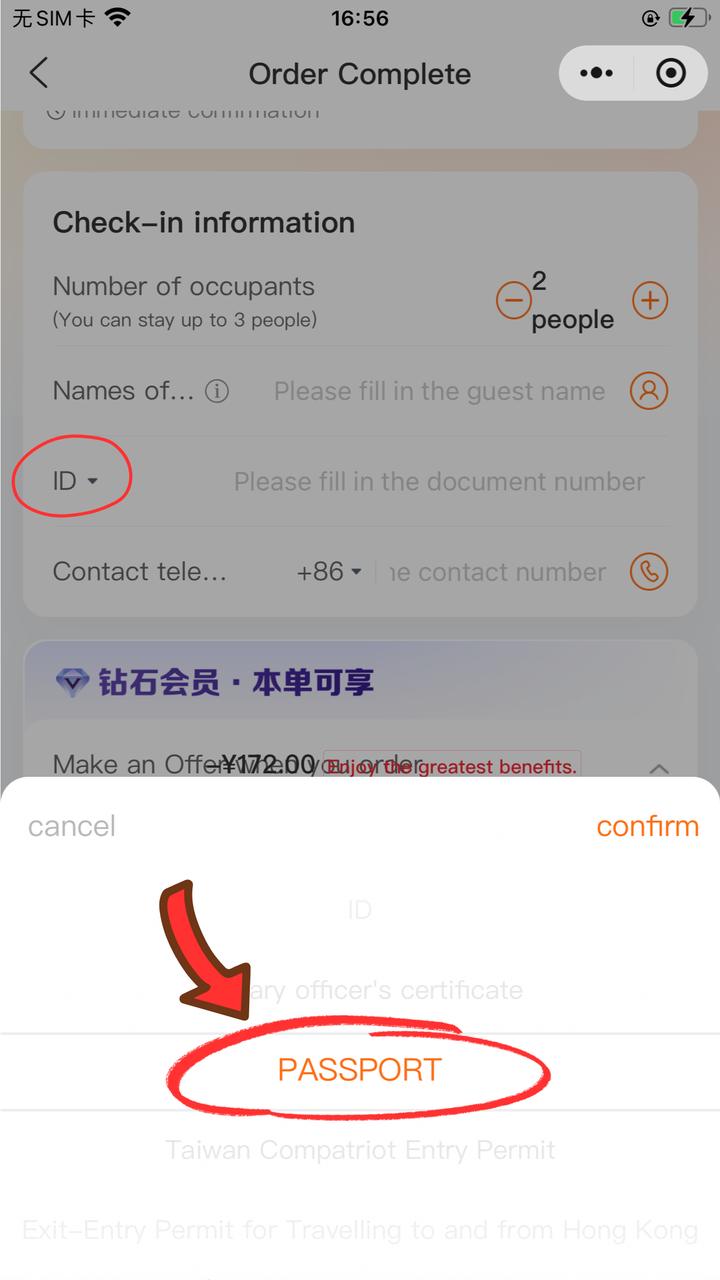
  6. Enter contact information

    Step 06

    Enter contact information

    Enter the contact name, identity document and other information requested on the order form.

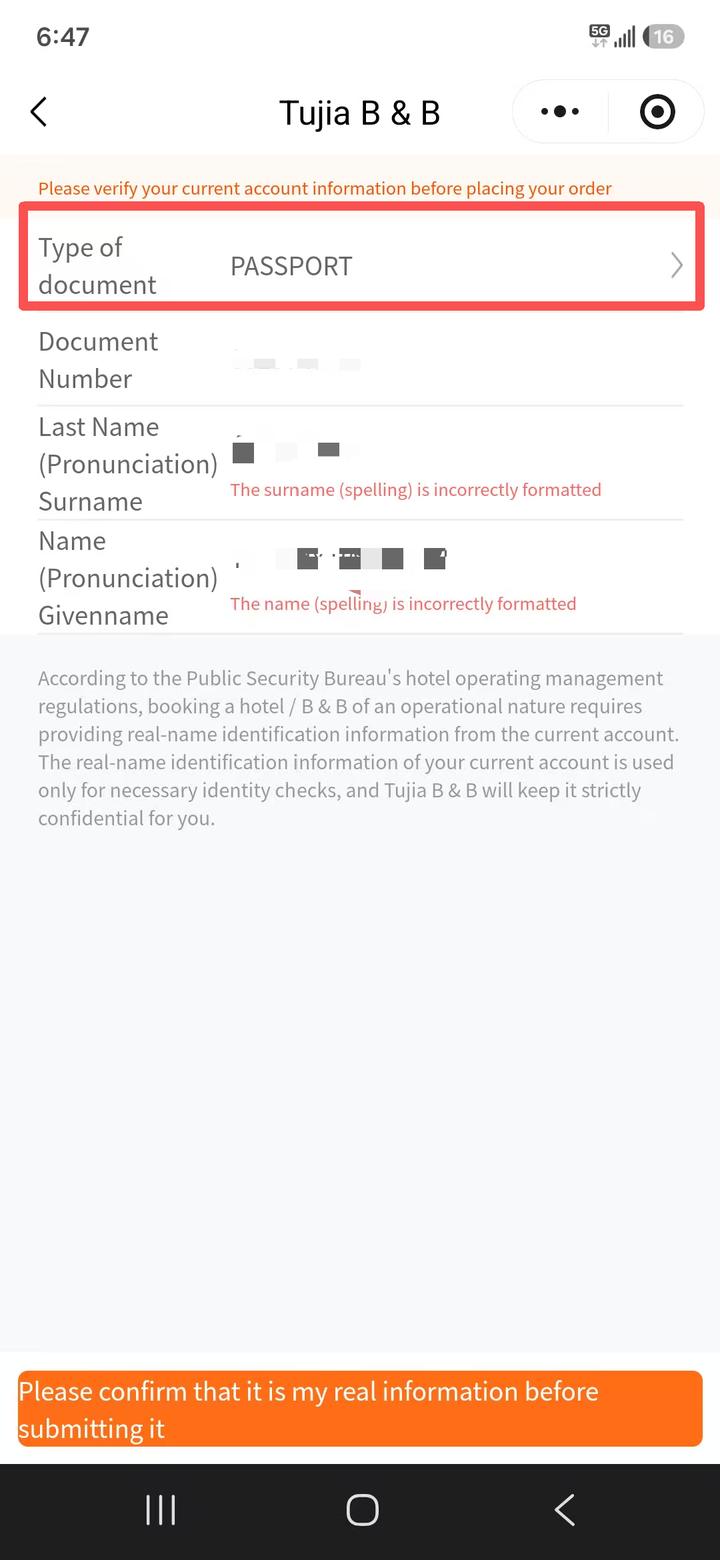
  7. Complete verification with your passport

    Step 07

    Complete verification with your passport

    Choose Passport and enter the identity information exactly as shown. Remove extra spaces if the format is rejected.

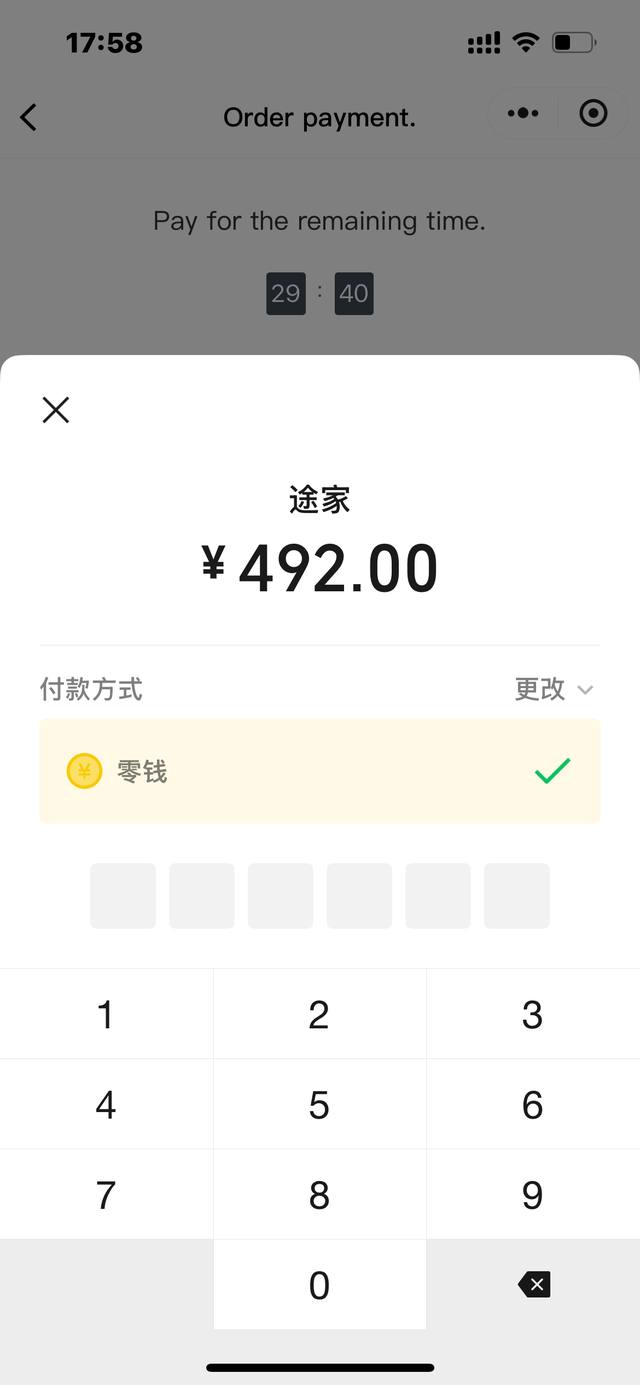
  8. Review the order and pay

    Step 08

    Review the order and pay

    Check the dates, guests, contact details, price and policy, then use the payment options shown on the page.

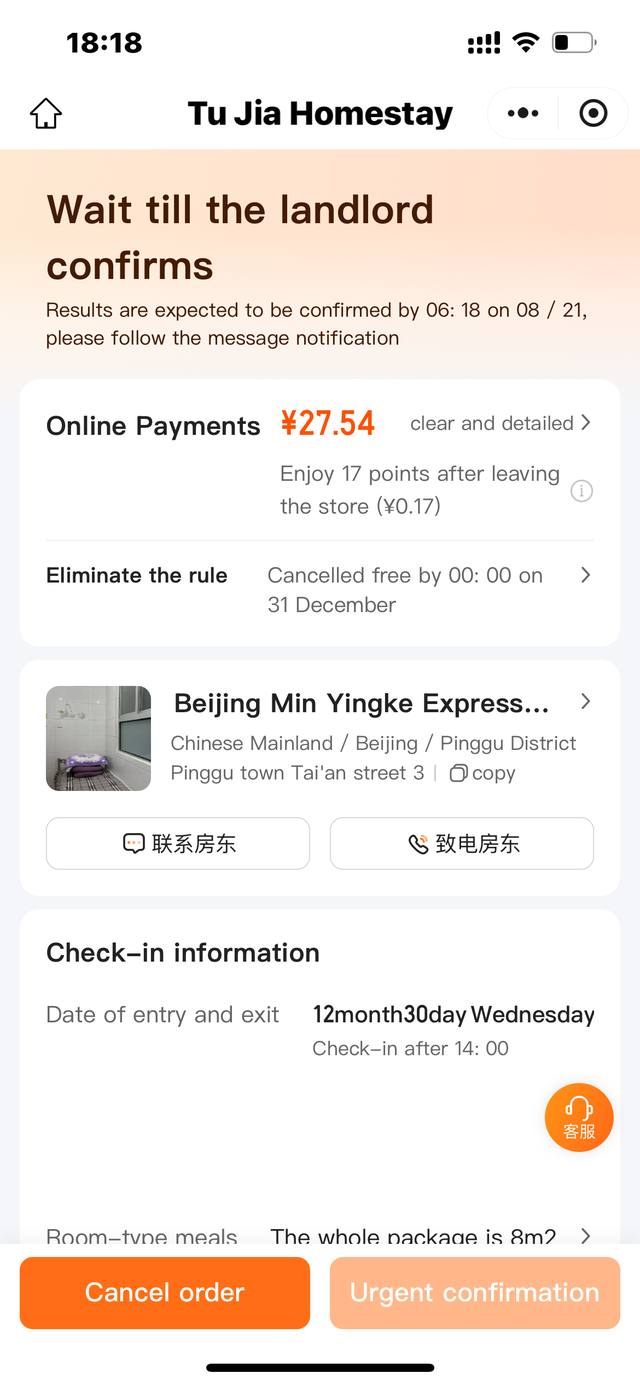
  9. View the order and wait for host confirmation

    Step 09

    View the order and wait for host confirmation

    Check the order status. After the host confirms, use the order page to contact the host and prepare for check-in.

03 · Before you arrive

Your pre-arrival checklist

  • Order confirmed
  • Guest names and identity documents match requirements
  • Arrival time and check-in method understood
  • Address and contact details saved offline
  • Deposit, house rules and cancellation terms reviewed

FAQ

Good to know before booking

Can I book on the desktop website?

Tujia currently directs guests to its mobile app or WeChat Mini Program for booking.

Is my booking confirmed immediately?

It depends on the home. Check the order status before arranging related travel.

Which payment methods can I use?

You can use WeChat assisted booking with a bank card. Visa cardholders can search for Tujia Homestay in the Alipay Mini Program to make a reservation.

Can international guests stay at every property?

Do not assume so. Check guest requirements and ask for help when unclear.

What if I need to cancel?

Cancellation policies vary by property, rate and date. Read the specific policy before payment. Contact customer service if you need help.

Open Tujia and start your search

Ask About a Stay